The 7 best Wipster alternatives in 2026
Wipster made video review easy for clients, and plenty of small teams are happy with it. Teams start looking when the work around review outgrows it: deadlines in a spreadsheet, editors billed per seat, errors that only the client catches. We build RecReview, so it comes first on this list, and you should read that part knowing who wrote it. For the other six, here is what each one does well, where it stops and what it costs in October 2026.
Wipster alternatives compared
| Tool | Best for | Starting price |
|---|---|---|
| Wipster | Simple review for small marketing teams | $9.95 a month on Light; Team is $19.95 per user |
| RecReview | Production companies and agencies | $49 a month, unlimited users |
| Frame.io | Review inside Adobe apps | Free for 2 members, then $15 per member a month |
| Filestage | Approving video with PDFs and images | Free plan; $199 a month with 10 seats |
| Vimeo Review | Teams already paying for Vimeo | $12 per seat a month on Starter |
| Dropbox Replay | Teams already on Dropbox | Free for 4 files, then $10 per user a month |
| Ziflow | Large brand teams | Free plan; $199 a month with 15 users |
| Kollaborate | Small post houses on a budget | $5 a month; unlimited members from $99 |
Prices from each vendor's pricing page, checked on October 20, 2026, with yearly billing where the vendor shows it. Check before you buy.
Why teams look for a Wipster alternative
Wipster does the basics well. A client opens a link, comments on the frame, draws on the image and approves. Reviewers never need a paid seat, and the Light plan is one of the cheapest in the category.
Teams usually start looking for three reasons. The Team plan is billed per user, so each editor and producer adds to the bill. The project side is a to-do list, so deadlines and statuses end up in another tool. And nothing checks the file, so a black frame or a typo in a lower third reaches the client.
If none of that bothers you, Wipster may still be the right tool (see the last section). If it does, these are the seven worth testing.
1. RecReview: best for production companies and agencies

Starting price: $49 a month, unlimited users
Review works the way it does in Wipster: comments on the exact frame, drawing on the image, approval from a link the client opens without an account. Around the player sits what Wipster leaves out: a project board with phases, deadlines and logged hours, versions side by side, and an AI check that can flag audio problems, black frames, typos in on-screen text and lines that drift from the script.
Strengths
- Unlimited users on every plan, editors included
- AI check on uploads, with each finding at its timecode
- Project board, deadlines and time tracking next to the video
- Mac app with watched folders and a panel inside Premiere
Limitations
- Built for video and photos, not PDFs or web pages
- No free plan, only a 15-day trial
- Costs more than Wipster Light for a single person
2. Frame.io: best for teams that work in Adobe apps
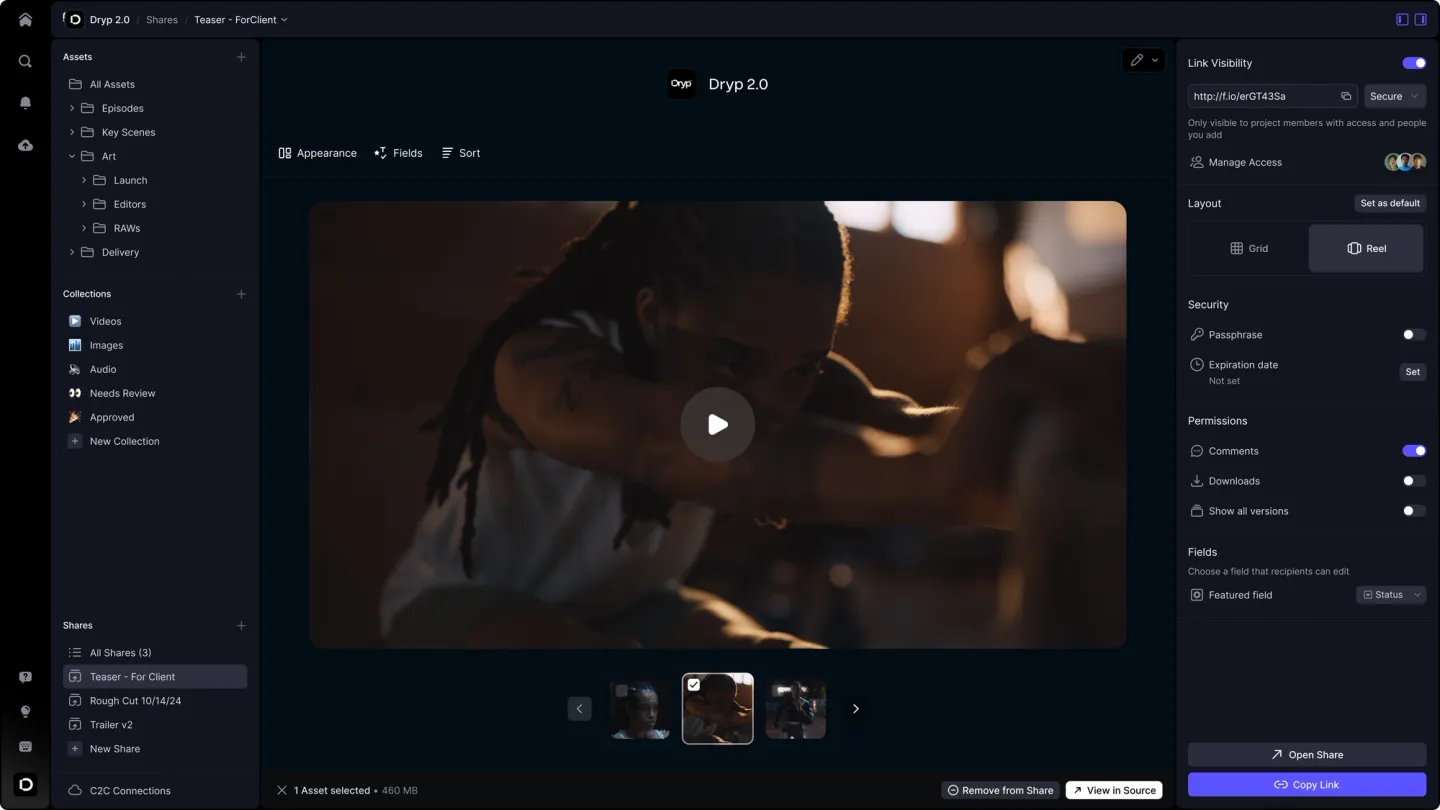
Starting price: Free for 2 members, then $15 per member a month
The best-known review tool, now part of Adobe. The player is polished, the Premiere and After Effects integration is the deepest in the category, and Camera to Cloud uploads takes straight from the set. Like Wipster, it is mainly a review tool: files can carry an assignee, a status and a due date, but there is no project board or time tracking.
Strengths
- Deepest Adobe integration
- Free plan for 2 members
- Camera to Cloud
Limitations
- Billed per member, and Pro stops at 5 members
- Nothing checks the file for errors
3. Filestage: best for approving video alongside PDFs and images

Starting price: Free plan; $199 a month with 10 seats
Filestage widens review beyond video. Images, PDFs, documents, web pages and audio go through the same approval flow, with review rounds and a due date for each. It suits marketing teams that approve a whole campaign in many formats at once.
Strengths
- Most file types in one approval flow
- Review rounds with due dates
- Free plan
Limitations
- Video is one format among many, with basic version handling
- Paid plans start at $199 a month
4. Vimeo Review: best for teams already paying for Vimeo

Starting price: $12 per seat a month on Starter
If you pay for Vimeo, you already have review: time-coded notes and review links on the videos you host there, from the Starter plan up. It works for occasional client feedback, though it feels like a feature of a hosting product.
Strengths
- Comes with paid Vimeo plans
- The final video is already where you publish it
- People who only comment don't need a seat
Limitations
- Seats are billed separately, and Standard stops at 5
- Review only, no project side
5. Dropbox Replay: best for teams already on Dropbox
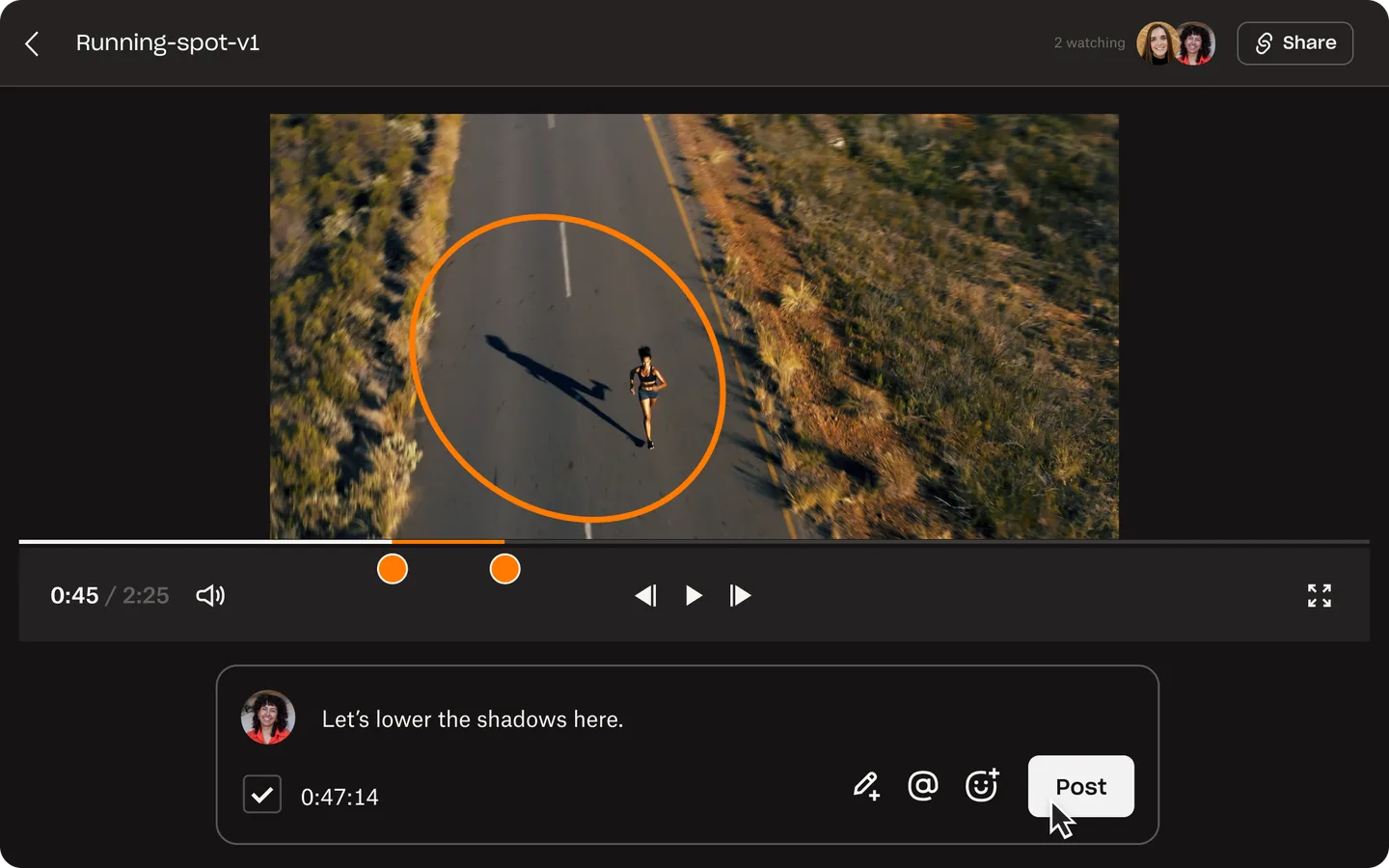
Starting price: Free for 4 files, then $10 per user a month
Replay puts frame-accurate review next to the files your team keeps in Dropbox, with plug-ins for the main editing apps. Any Dropbox account can try it with a small file limit.
Strengths
- No new place to store files
- Plug-ins for Premiere, Final Cut Pro and DaVinci Resolve
- Reviewers don't need a Dropbox account
Limitations
- The add-on is billed per user on top of a paid Dropbox plan
- No project side and no error checks
6. Ziflow: best for large brand teams

Starting price: Free plan; $199 a month with 15 users
Proofing for large brand and marketing departments. It opens more than a thousand file types, moves each proof through approval stages on its own and keeps an audit trail for compliance teams.
Strengths
- Huge range of file types
- Automated approvals in several stages
- Free plan for 2 users
Limitations
- Takes real time to set up
- More machinery than a small video team needs
7. Kollaborate: best for small post houses on a budget
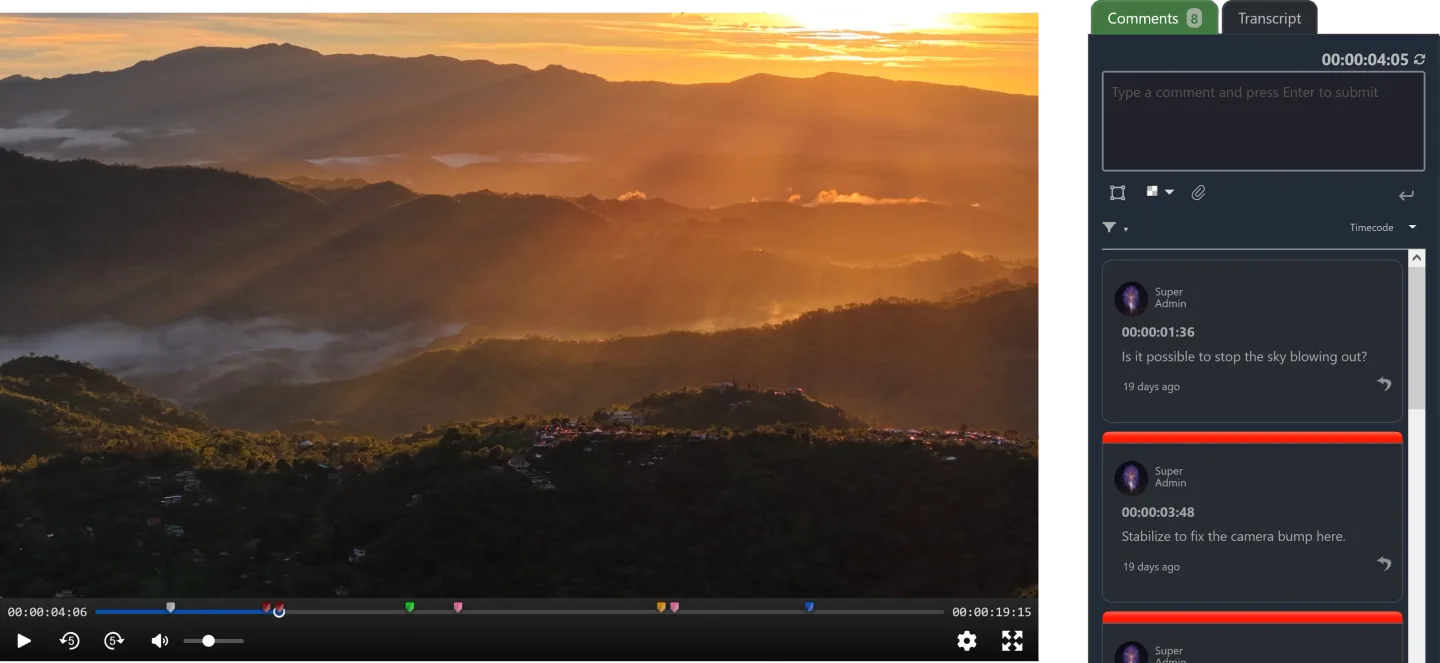
Starting price: $5 a month; unlimited members from $99
A long-running review and file-sharing tool for post-production. Plans are flat and grow with storage, and the larger ones include unlimited team members.
Strengths
- Low entry price
- Unlimited members from the Production plan
Limitations
- Review and sharing only
- Little storage on the cheaper team plans
How to choose
Start with what surrounds review. If review is the only step that hurts, a cheaper review tool or the one inside your storage (Vimeo, Dropbox) may be enough. If deadlines, hours and delivery also live in other tools, pick the one that absorbs them.
Then count seats. Wipster, Frame.io, Vimeo and Dropbox Replay bill the people on your team; Filestage, Ziflow and Kollaborate sell plans with a set number of seats; RecReview has unlimited users on every plan.
Finally, ask what catches your errors. Of the tools here, only RecReview checks the video file itself.
When to stay on Wipster
Stay if you are a small marketing team reviewing a few videos a month and your clients already know it. Wipster is easy for someone who has never used a review tool, and switching costs time.
Moving makes sense when the review step is fine but everything around it lives in spreadsheets and other apps. RecReview vs Wipster compares the two feature by feature.
Frequently asked questions
What is the best Wipster alternative?
It depends on why you're leaving. For review inside Adobe apps, Frame.io. For approving many formats in one flow, Filestage. For review plus the project board, hours and an AI check on uploads, RecReview (we build it, so weigh that).
Is there a free Wipster alternative?
Frame.io (2 members), Filestage and Ziflow have free plans with limits, and Dropbox Replay is free for 4 files. Vimeo's free plan doesn't include its review tools. RecReview has a 15-day trial without a card instead of a free plan.
Which Wipster alternative works with DaVinci Resolve or Final Cut Pro?
Dropbox Replay has plug-ins for Premiere, Final Cut Pro and DaVinci Resolve. RecReview has a Premiere panel and exports time-coded comments as markers for Premiere and DaVinci Resolve. Frame.io's integration is deepest inside Adobe apps.
Can I leave Wipster without losing my process?
Yes. Upload, comment on the frame and approve work the same way in every tool on this list, and clients keep reviewing from a link. In RecReview, a spreadsheet import (Excel or CSV) recreates your project list.
Head-to-head comparisons with RecReview: Wipster, Frame.io, Filestage, Vimeo Review, Dropbox Replay, Ziflow and Kollaborate.