RecReview vs Wipster
Wipster keeps review simple. RecReview keeps that review and adds the rest of the production.
Comments on the frame, drawings and approvals work much the same in both. RecReview adds the project board, time tracking and an AI check on uploads, with unlimited users on every plan.
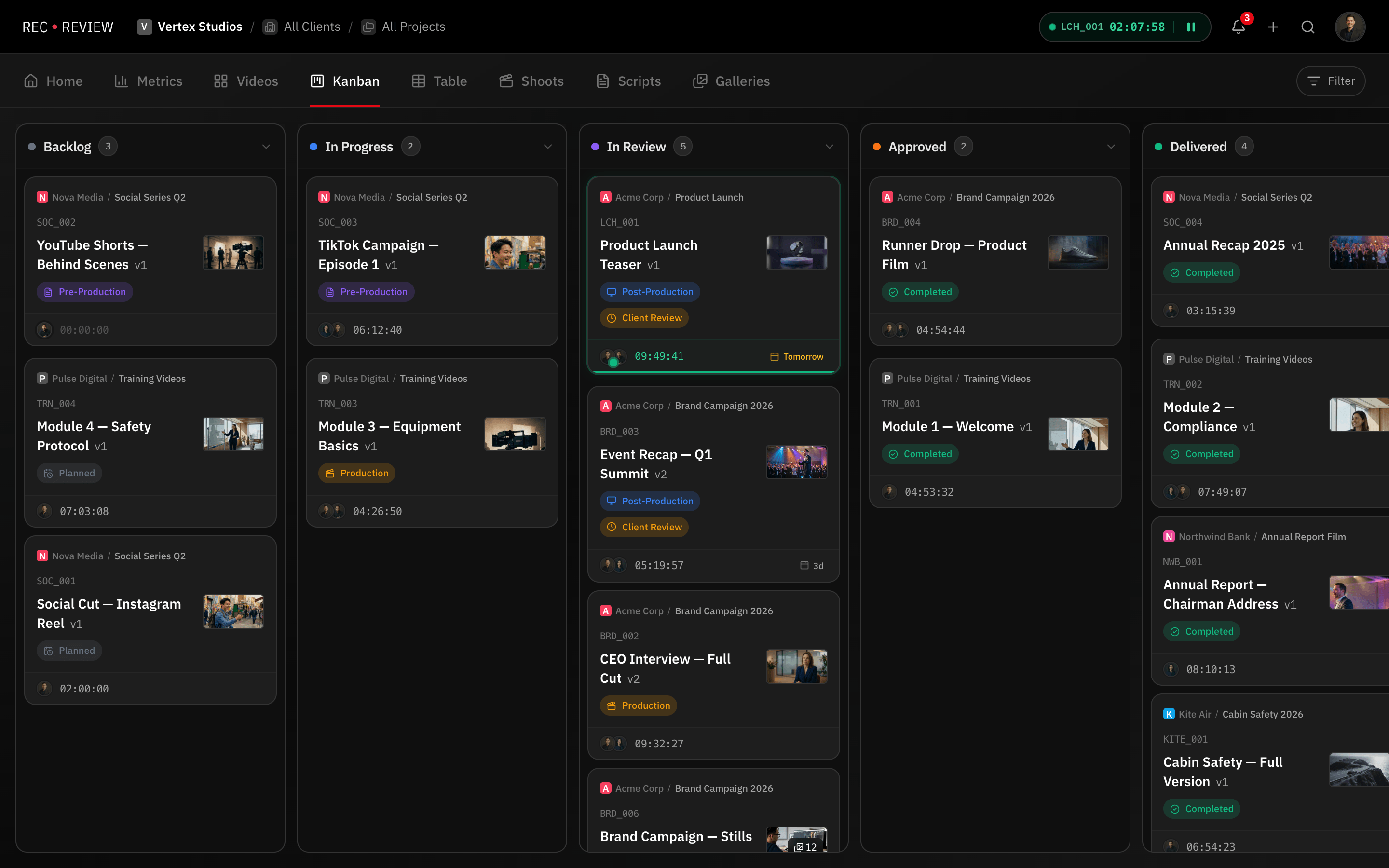
Feature by feature
RecReview and Wipster side by side: review, project management and production tools.
| Feature | RecReview | Wipster |
|---|---|---|
| Video Review | ||
| Timestamped comments | Yes | Yes |
| Frame-accurate annotations | Yes | Yes |
| Version comparison (side-by-side) | Yes | Partial |
| Client review portal | Yes | Yes |
| Video/audio comment recording | Yes | No |
| Comment assignments & mentions | Yes | Partial |
| Project Management | ||
| Kanban board with custom statuses | Yes | No |
| Task assignments & due dates | Yes | No |
| Production phases (pre/prod/post) | Yes | No |
| Subtasks & checklists | Yes | No |
| Client & project organization | Yes | Partial |
| Time tracking | Yes | No |
| AI & Automation | ||
| AI video analysis (errors, quality) | Yes | No |
| AI text/typo detection | Yes | No |
| Technical quality scoring | Yes | No |
| Workflow automations (triggers/actions) | Yes | No |
| Automation presets | Yes | No |
| Collaboration | ||
| Workspace members & roles | Yes | Yes |
| External sharing with password | Yes | Yes |
| Visitor sessions (no login required) | Yes | Partial |
| Webhook integrations | Pro & Studio | No |
| Email notifications | Yes | Yes |
| Production Tools | ||
| Script editor with side-by-side view | Yes | No |
| Production plans & calendars | Yes | No |
| Teleprompter display | Yes | No |
| Blocker management | Yes | No |
| Delivery tracking & approvals | Yes | Partial |
| Pricing | ||
| Flat monthly pricing | Yes | No |
| No per-seat charges | Yes | No |
| Included storage (500 GB+) | Yes | 50 GB to 250 GB |
| AI minutes included | Yes | No |
| Free trial or free plan | 15-day trial | Yes |
Key differences
The project lives next to the video
Wipster's project side is a to-do list, so statuses and deadlines usually end up in another tool or a spreadsheet. RecReview has a project board with phases, deadlines, subtasks and logged hours.
Errors flagged before the client sees them
In Wipster, technical checks are up to whoever is watching. RecReview can check an upload for audio problems, black or frozen frames, typos in on-screen text and lines that drift from the script.
Your team grows, the bill doesn't
Reviewers are free in both. Wipster's Team plan bills each editor and producer; in RecReview they are free too, because every plan has unlimited users.
Pricing
RecReview has flat monthly plans with unlimited users, from $49; team scenarios below use Pro ($99, 2 TB). Wipster costs $9.95 a month on Light and $19.95 per user a month on Team, billed annually.
| Scenario | RecReview | Wipster |
|---|---|---|
| 5-person team | $99/mo (Pro) | $99.75/mo (Team) |
| 10-person team | $99/mo (Pro) | $199.50/mo (Team) |
| 20-person team | $99/mo (Pro) | $399/mo (Team) |
| Free option | 15-day trial | Free trial, no free plan |
| Project board and time tracking | Included | To-do list only |
Prices checked on October 20, 2026 at wipster.io/pricing.
Who should stay on Wipster
Stay on Wipster if you are a small marketing team that reviews a few videos a month and only needs clients to comment and approve. It is easy for someone who has never used a review tool, and the Light plan costs little.
Switch when the work around review starts to pile up elsewhere: a spreadsheet of deadlines, a separate task app, errors that only the client noticed.
Comparing more than two tools? See the best Wipster alternatives.
Frequently asked questions
Is Wipster free?
No. Wipster has a free trial but no free plan; its current plans are in the price table on this page. RecReview also has no free plan, only a 15-day trial without a card.
Does RecReview handle approvals like Wipster?
Yes. Clients approve or ask for changes on each version, the decision is recorded with who made it, and an approval can move the task to the next status on the board.
Can clients review without an account?
Yes, in both. In RecReview the client opens a link, comments on the frame and approves without signing up. Links can have a password and an expiry date.
Can I bring my Wipster projects?
Yes. A spreadsheet import (Excel or CSV) recreates your project list, videos can be uploaded in bulk, and on annual plans our team helps with the move.
More comparisons: RecReview vs Frame.io, RecReview vs Filestage and RecReview vs Vimeo Review.