Feature

A Dedicated Review Portal Your Clients Will Love

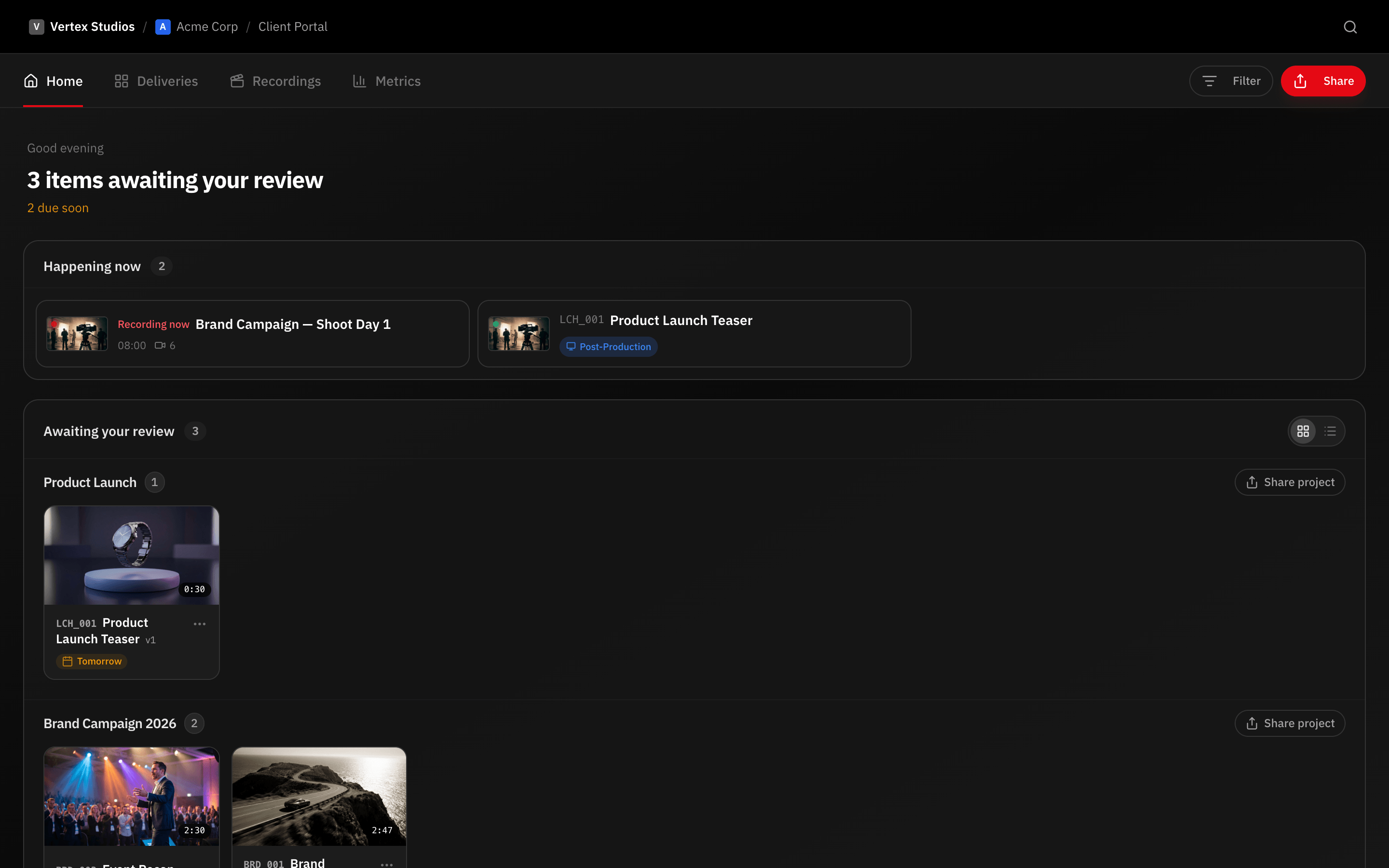
Clients should not need to learn your internal tools just to approve a video. RecReview provides a clean, focused portal where clients review videos, leave time-coded comments, and approve deliverables. No sign-up friction, no learning curve, no confusion.

No Account Required

Clients access their review portal through a secure link. They enter their name and email to start a visitor session, and they are immediately watching the video. There is no account creation, no password to remember, and no software to install.

This zero-friction approach dramatically increases the speed of client feedback. Production teams that previously waited days for clients to figure out a new tool now get responses within hours. The less you ask of clients, the faster your review cycles move.

Visitor sessions are time-limited and token-secured. Each session is tied to the specific share link and can be configured to expire after a set period, giving you control over access without burdening the client with account management.

Focused Review Experience

The client portal strips away everything that does not serve the review process. Clients see the video player, the comment panel, and the approval controls. There are no distracting navigation menus, project management views, or internal team discussions.

This focused interface is deliberate. Clients make better decisions when they are not overwhelmed by options. They watch, they leave time-coded comments, they approve or request changes. The simplicity of the experience translates directly into faster, more decisive feedback.

Clients can navigate between versions when version history is enabled, view AI analysis summaries if shared, and download approved deliverables. Every feature available to them is designed to support confident decision-making.

Access Controls and Security

Protect client portals with passwords, expiration dates, or both. Control whether clients can download the video, see version history, or access AI analysis reports. Every setting is configurable per share link, so different stakeholders can have different levels of access.

Share links can be revoked instantly if access needs to be terminated. Visitor session logs show who accessed the portal, when they viewed it, and what actions they took, providing an audit trail for compliance-sensitive projects.

Approval Workflow Built In

Clients approve or request changes directly from the portal. Their decision triggers notifications to your team and can be connected to workflow automations that update task status, send delivery confirmations, or move the project to the next phase.

When changes are requested, the client's comments are tied to specific timecodes so your editor knows exactly what to fix. When the revised version is uploaded, the client receives a notification to review the update. This creates a tight review and approval loop without any manual coordination.

See it in action

Start your free trial and experience it yourself.

Start 15-Day Free Trial →

No credit card required

Frequently Asked Questions

Can I customize the portal with my branding?
The client portal presents a clean, neutral interface focused on the review experience. Workspace branding options allow you to maintain a professional presentation consistent with your studio.
Can multiple clients review the same video?
Yes. You can share the same link with multiple stakeholders, or create separate links with different access settings. Each reviewer has their own visitor session and their comments are attributed individually.
What happens after a client approves?
Approval triggers a notification to your team and updates the review status on the video task. If you have workflow automations configured, the approval can automatically change the task status, send a delivery email, or trigger a webhook to your other systems.
Can clients leave video or audio comments?
Yes. The client portal supports text comments, video recordings, and audio recordings. Clients can record a quick video reaction or audio note alongside their written feedback for richer communication.
Explore More

Related Features

Try it free for 15 days

No credit card required. Full access to all features.

Start Free Trial →