Photos, treated like deliverables.
Client photo selection with limits, on-photo annotations, versioned retouching, and the same approval flow as your video — on the same project board.
How it works
Upload the shoot
Photos are processed with thumbnails and fast web previews.
Share the gallery
Magic link with optional password; clients identify with name and email.
Client selects and comments
Selection limits, per-person attribution, and drawing annotations on the photo.
Retouch and approve
Corrected photos land as new versions; approval is recorded per gallery.
Capabilities
Client Selections
Limits, required selection, and per-person attribution.
On-Photo Annotations
Arrows, circles, and notes drawn on the exact spot.
Versioned Retouching
New versions with notes; originals stay in the history.
Gallery Webhooks
Delivery, approval, and comment events for your systems (Pro and Studio).
Client Selections, Structured
Share a gallery and let the client pick their favorites. You control the rules: set a selection limit (pick 20 of 300), make selection required before approval, or leave it open. Every pick is attributed to the person who made it, so when three stakeholders review the same gallery you know exactly whose shortlist is whose.
Selections replace the spreadsheet-of-filenames ritual. Instead of "IMG_4302, IMG_4311, wait no, the other one," the client clicks the photos they want and you get a clean, attributed list to work from.
Feedback on the Pixel, Not the Paragraph
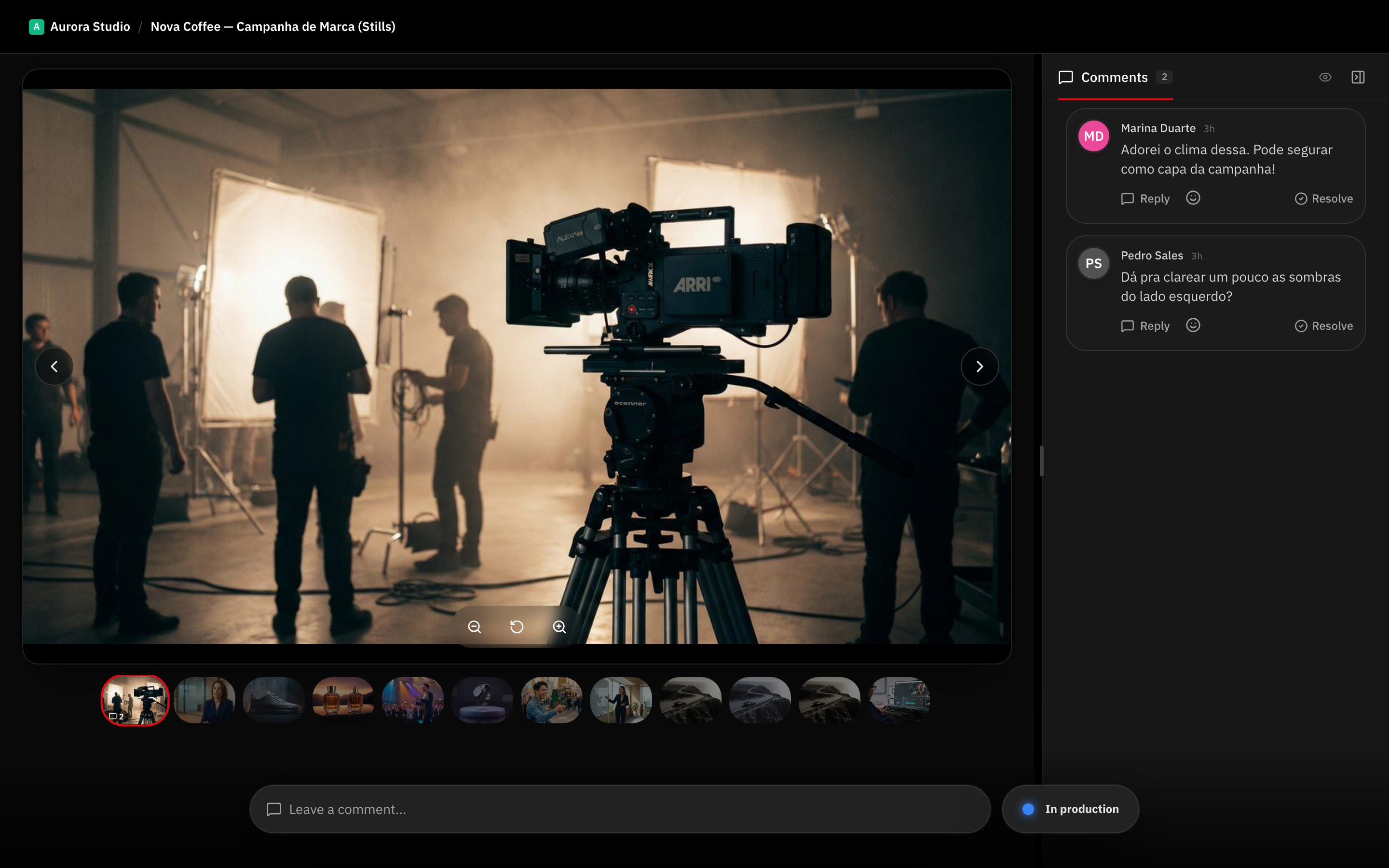
Comments work like they do on video — anchored to the thing being discussed. Clients draw directly on the photo: an arrow at the stray hair, a circle around the blown highlight, a note pinned where it matters. Time-coded comments and photo annotations share the same commenting system, so the workflow your clients already learned on video carries straight over to stills.
Retouching rounds are versioned: upload the corrected photo as a new version with a note, compare it against the original, and keep the history. Nothing gets overwritten, and "which edit is this?" stops being a question.
The Same Approval Flow as Video
Galleries carry the same review status as videos — needs review, approved, changes requested — with the decision recorded with name and date. Delivery tracking logs who opened the gallery and when, and webhooks fire on gallery delivery, approval, and comments, so your automations and external systems treat photos as first-class events.
Sharing works the way video sharing does: magic links with optional password, visitor identification, and per-visitor access records.
One Board for the Whole Job
A gallery is a task like any other: it lives on your kanban board next to the video deliverables for the same campaign, moves through the same statuses, and triggers the same automations. A campaign with two videos and a photo set is one project view, not two tools and a shared drive.
For hybrid studios this is the difference between "we also do photos" and photos being an actual, managed deliverable with the same accountability as every cut you ship.
Frequently asked questions
Do clients need an account to select photos?
No. Clients open the gallery through a magic link, identify themselves with name and email, and start picking. Selections and comments are attributed to them without any account creation.
Can I limit how many photos the client selects?
Yes. Set a selection limit per gallery — for example, choose 20 finals from a 300-photo shoot — and optionally require selection to be completed. You can also leave it unlimited.
How does retouching feedback work?
Clients comment directly on the photo with drawing annotations — arrows, circles, and notes on the exact spot. You upload the retouched file as a new version with a note describing the change, and both versions stay in the history.
Does photo storage count toward my plan?
Yes, photos share the same storage pool as your videos — no separate gallery fees or per-gallery pricing. Thumbnails and web previews are generated automatically and served fast.
Works together with
Ready to try it yourself?
15-day free trial. No credit card required.