RecReview vs Google Drive for Video Review
Drive stores the file. RecReview is where the client reviews it.
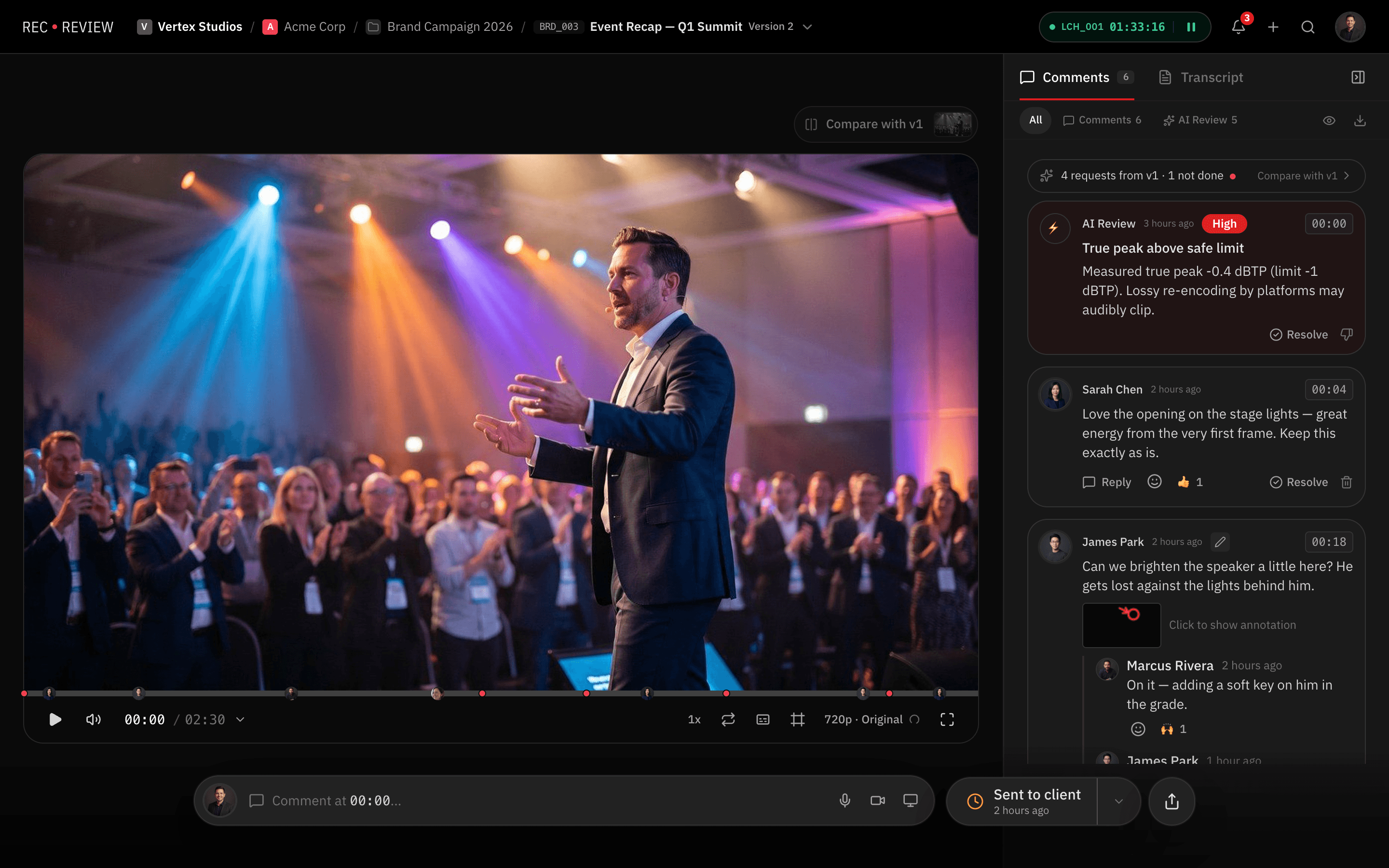
A Drive link works until the notes come back as "at 1:32, the second logo". RecReview puts each comment on the exact frame, keeps every version in order and records the approval.
Feature by feature
RecReview and Google Drive side by side: review, project management and production tools.
| Feature | RecReview | Google Drive |
|---|---|---|
| Video Review | ||
| Timestamped comments | Yes | No |
| Frame-accurate annotations | Yes | No |
| Version comparison (side-by-side) | Yes | No |
| Client review portal | Yes | No |
| Video/audio comment recording | Yes | No |
| Basic file comments | Yes | Yes |
| Project Management | ||
| Kanban board with custom statuses | Yes | No |
| Task assignments & due dates | Yes | No |
| Production phases (pre/prod/post) | Yes | No |
| Subtasks & checklists | Yes | No |
| Client & project organization | Yes | No |
| Time tracking | Yes | No |
| AI & Automation | ||
| AI video analysis (errors, quality) | Yes | No |
| AI text/typo detection | Yes | No |
| Technical quality scoring | Yes | No |
| Workflow automations (triggers/actions) | Yes | No |
| Automation presets | Yes | No |
| Collaboration | ||
| Workspace members & roles | Yes | Yes |
| External sharing with password | Yes | Partial |
| Visitor sessions (no login required) | Yes | No |
| Webhook integrations | Pro & Studio | Partial |
| Email notifications | Yes | Yes |
| Production Tools | ||
| Script editor with side-by-side view | Yes | No |
| Production plans & calendars | Yes | No |
| Teleprompter display | Yes | No |
| Blocker management | Yes | No |
| General file storage | Video-focused | Yes |
| Pricing | ||
| Flat monthly pricing | Yes | No |
| No per-seat charges | Yes | No |
| Included storage (500 GB+) | Yes | 15 GB free |
| AI minutes included | Yes | No |
| Free trial or free plan | 15-day trial | Free tier |
Key differences
Comments on the frame, not on the file
Drive lets you comment on a file, not on a moment of the video. In RecReview the client clicks the frame, writes or draws, and the editor jumps straight to it.
An AI check on uploads
RecReview can flag audio problems, black or frozen frames, typos in on-screen text and lines that drift from the script. Drive only stores the file.
Versions and approval in order
In Drive, versions become file names like final_v3_REAL. In RecReview each new cut stacks on the previous one, side by side, and the approval is on record.
Pricing
RecReview has flat monthly plans with unlimited users, from $49; team scenarios below use Pro ($99, 2 TB). Google Drive costs a per-user Google Workspace subscription.
| Scenario | RecReview | Google Drive |
|---|---|---|
| Price model | Flat, from $49/mo | Per user, inside Workspace |
| Users included | Unlimited | One seat each |
| Comments on the frame | Included | Not available |
| Client approval on record | Included | Not available |
| Project board and time tracking | Included | Not available |
Prices checked on October 20, 2026 at workspace.google.com/pricing. Google shows Workspace prices by country, so check the price for yours.
Who should stay on Google Drive
Keep using Drive for review if clients send one round of notes by email and you rarely have more than one version. It is free or already paid for, and everyone knows how to open a link.
Move review out of Drive when versions pile up and notes arrive without a timecode. Drive can stay as your file storage.
Frequently asked questions
Is a review tool worth it when Google Drive is free?
For most production teams, yes. Comments on the frame end the "which second?" emails, versions stop living in file names, and fewer review rounds pay for the plan quickly.
Can I keep Google Drive alongside RecReview?
Yes. Many teams keep Drive for documents and files and use RecReview for video review, client approval and production tracking.
Will clients find RecReview harder than Drive?
Usually easier. The link opens in any browser with no account, like a Drive link, and the client clicks on the video to comment instead of typing timestamps.
More comparisons: Dropbox Replay: is it free, and what does it cost?, RecReview vs Vimeo Review and RecReview vs LucidLink.