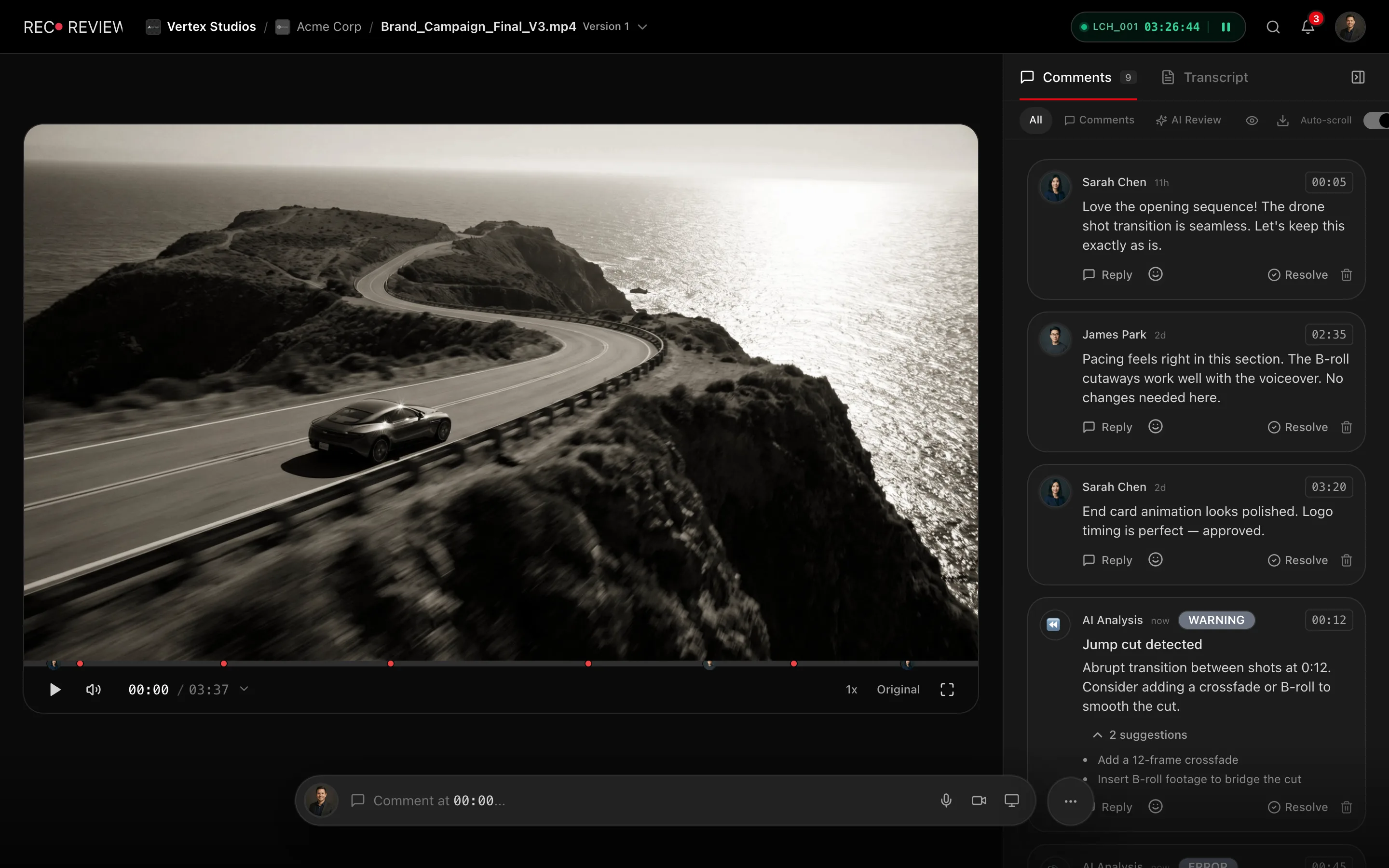
The video opens in a player with a comment panel beside it. Every comment you write carries a timecode, so the editor knows the exact second you meant.
Leave a comment
- Play or scrub to the moment you want to talk about. Pause if you want to be precise.
- Click the comment box at the bottom. It reads Comment at 0:12… — that is where the note will land.
- Type your note.
- Click Send.
The comment appears in the list and a marker lands on the timeline. Click any marker later to jump back to it.
The timecode locks the moment you start typing, so you can scrub back mid-sentence to check something without moving your note.
More than text
- Draw on the frame. Click Draw, pick Pen, Arrow, Rectangle or Circle, and mark up the paused frame. Faster than describing where the logo sits.
- Attach a file. Up to three per comment — a reference image, a corrected script.
- Reply. Click Reply under any comment to keep a thread together.
Writing feedback the editor can act on
- One problem per comment. Five points in one paragraph become one comment to argue about.
- Say what is wrong, not how to fix it. “The music drowns the voice here” beats “lower the music by 3 dB”.
- Pause before you write. A note left three seconds late points at the wrong shot.
- Gather everything in one pass, then decide. Comments are not a verdict — the verdict is the next step.
What’s next
When you are done, approve or request changes.