A gallery works like the video review: you pick, you comment, you decide. Open it from Deliveries in the portal, or from the link the studio emailed you.
You may first see Protected gallery, asking for a password, or Identify yourself, asking for your name and email.
Pick the shots you want
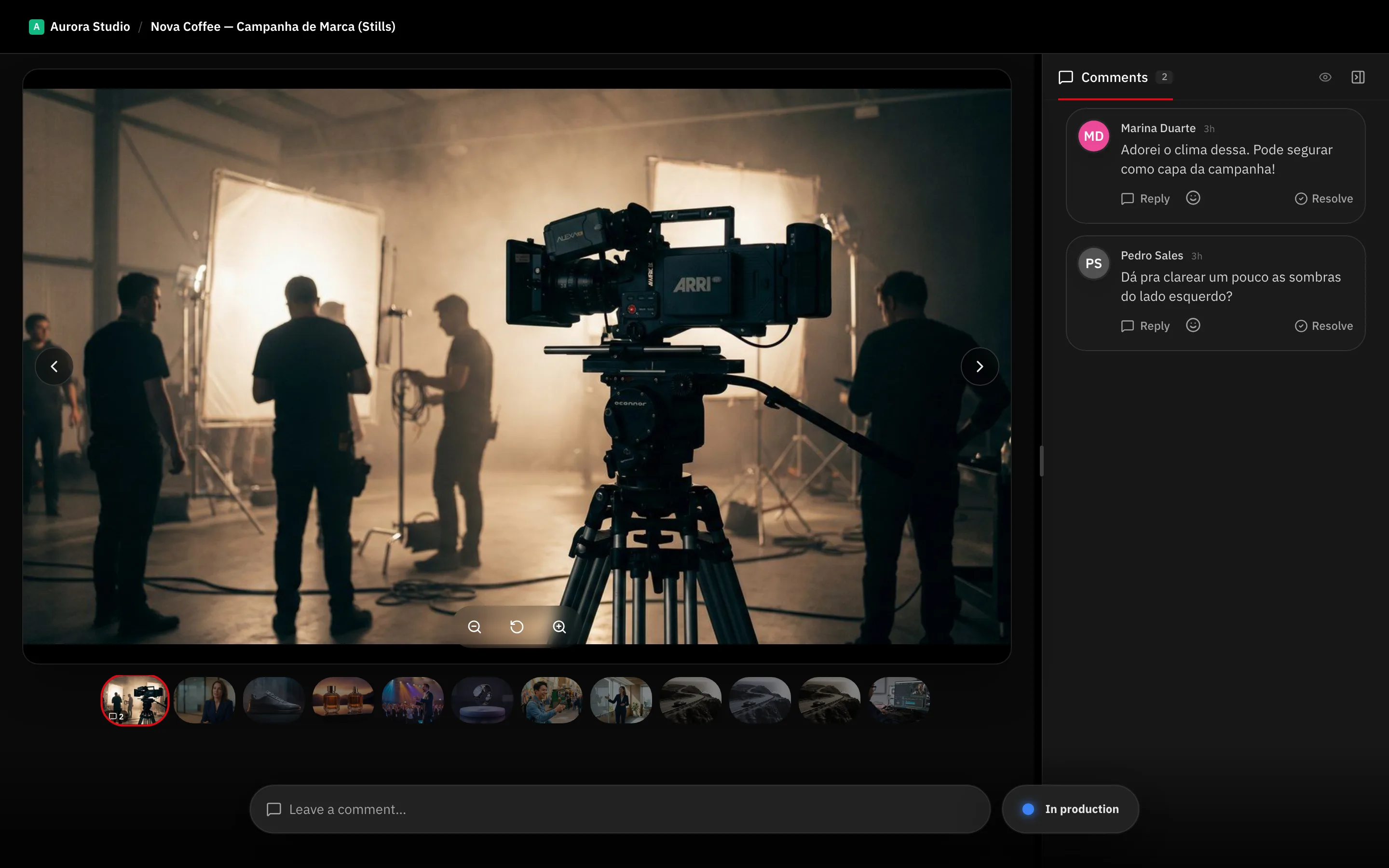
- Click a photo to open it. The strip at the bottom moves you through the set.
- Click Add to favorites. The photo is then marked Favorited.
- Repeat for every shot you want.
Your favorites are your selection. Nothing else needs to be written down.
Comment on a photo
Type in Leave a comment… under the open photo. A comment can carry a drawing on the image itself, which is the quickest way to say “this corner”. The Comments tab lists everything, and Hide resolved clears what the studio has already handled.
The zoom controls under the photo let you check detail before you judge it.
Send your verdict
The feedback control sits at the bottom right, labelled Your Feedback.
- Approve — the gallery shows a Gallery approved banner with your name and the date.
- Request changes — the banner becomes Changes requested.
Tip: Favorite first, comment second, decide last. Your picks and your notes travel with the verdict.
New versions and downloads
If the studio uploads a new take of the gallery, Compare puts the two side by side; Exit comparison goes back.
Where downloads are enabled for you, Download selected takes just your favorites and Download takes what the gallery allows.
What’s next
The same logic applies to video — see Approve or request changes.