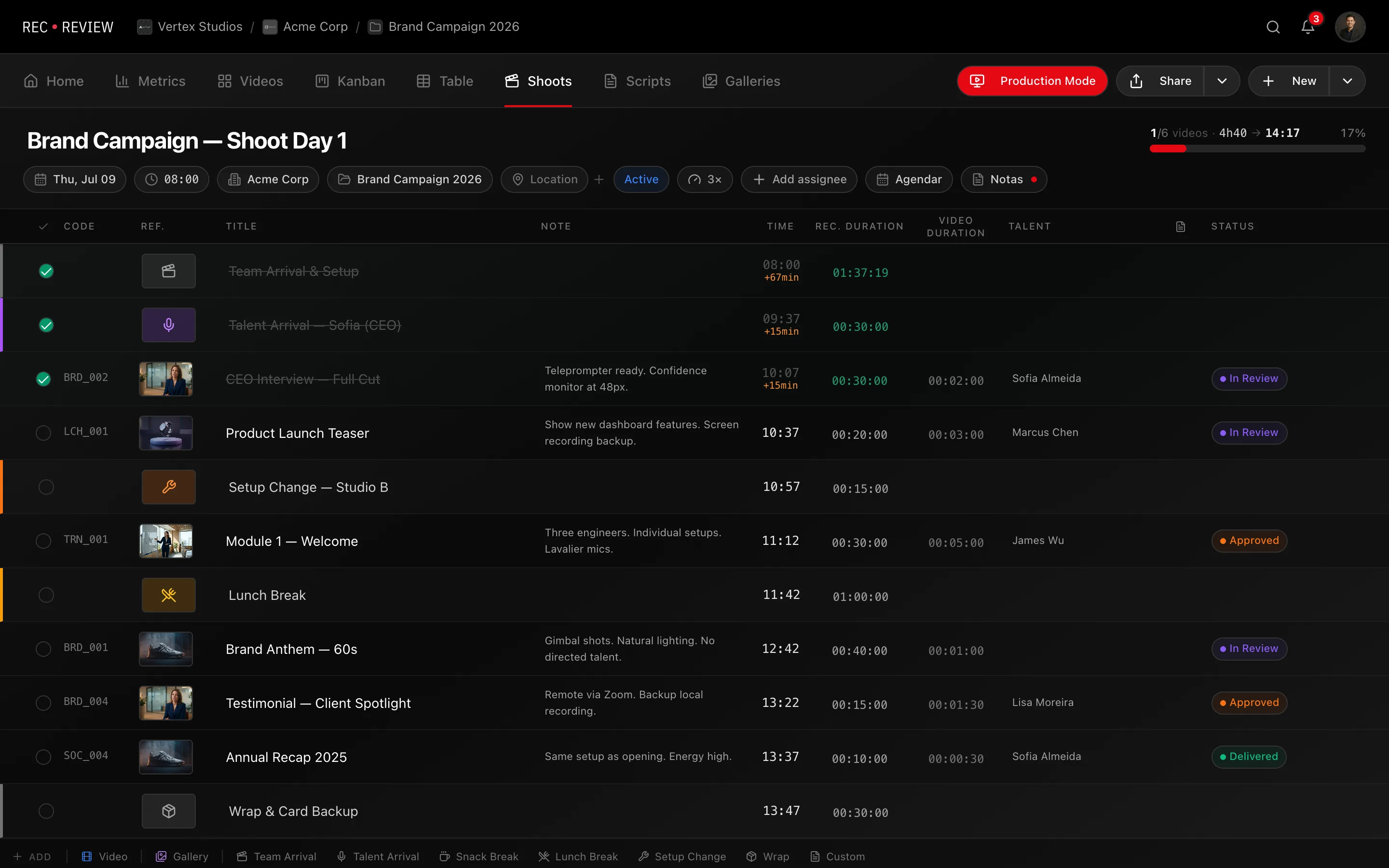
A production plan is one shooting day laid out as a timeline. Create one whenever a shoot has more than a couple of takes: you list the blocks in order, and RecReview works out when each one starts.
Create a plan
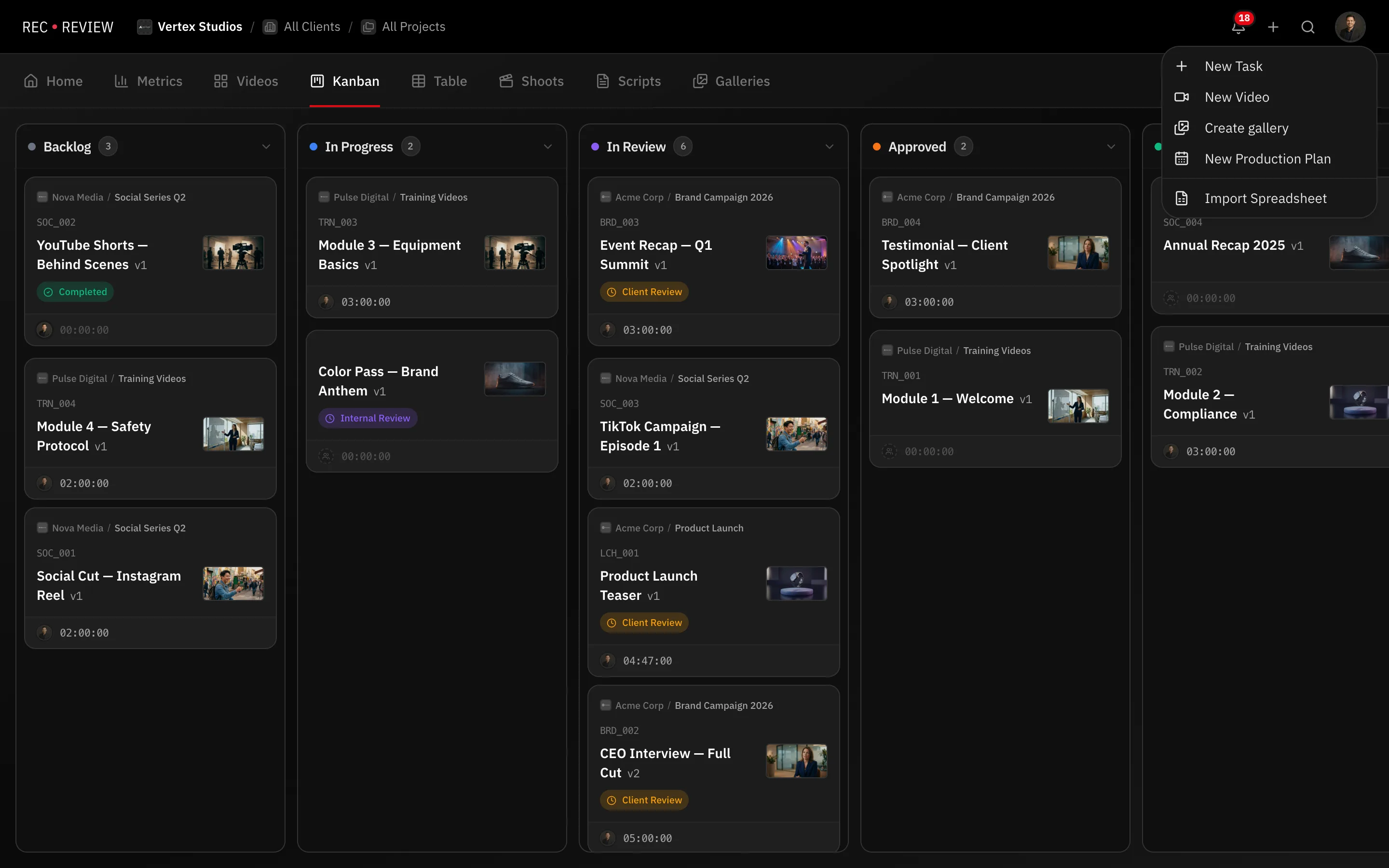
- Click + in the header and choose New Production Plan.
- Fill in Title, Recording date and Start time. Every block time is counted from the start time.
- Pick a Client and a Project so the plan and its videos stay tied to the right account.
- Paste a Meeting link (optional) if the shoot is also streamed.
- Click Create Plan. The plan editor opens, empty.
Find your plans later
Plans live under the Shoots tab. Each card shows the date, the client and how many videos the plan holds. Filters at the top narrow the list by Draft, Active, Completed or Cancelled.
What a block is
Every row in the plan is a block. There are three kinds:
- Video — linked to a video task in your workspace. It carries the video’s code, title, talent, script and durations.
- Gallery — a photo gallery shot on the same day.
- Operational blocks — the time that is not shooting: Team Arrival, Talent Arrival, Snack Break, Lunch Break, Setup Change, Wrap and Custom.
Add the operational blocks. A plan that lists only takes always runs late.
How the times are calculated
RecReview takes the plan’s Start time and walks down the list, adding each block’s Recording Duration as it goes. Reorder a block and every time below it shifts.
To turn a finished video length into a realistic shooting length, set the plan’s Pace: Optimistic, Normal, Realistic or Conservative. It stretches the Video Duration into the Recording Duration for you, and you can always type your own number on a block.
The plan header
The header is the call sheet the crew checks before the shoot: Date, Start, Crew, Pace, Client, Project and Location. Plan notes holds everything that does not fit a column — parking, dress code, who brings the key.
Tip: Duplicate a plan when a recurring shoot has the same structure every month. The blocks, durations and pace come along; the Google Calendar event deliberately does not.
What’s next
Build the timeline in Build a plan timeline, then share it with the crew and the client.