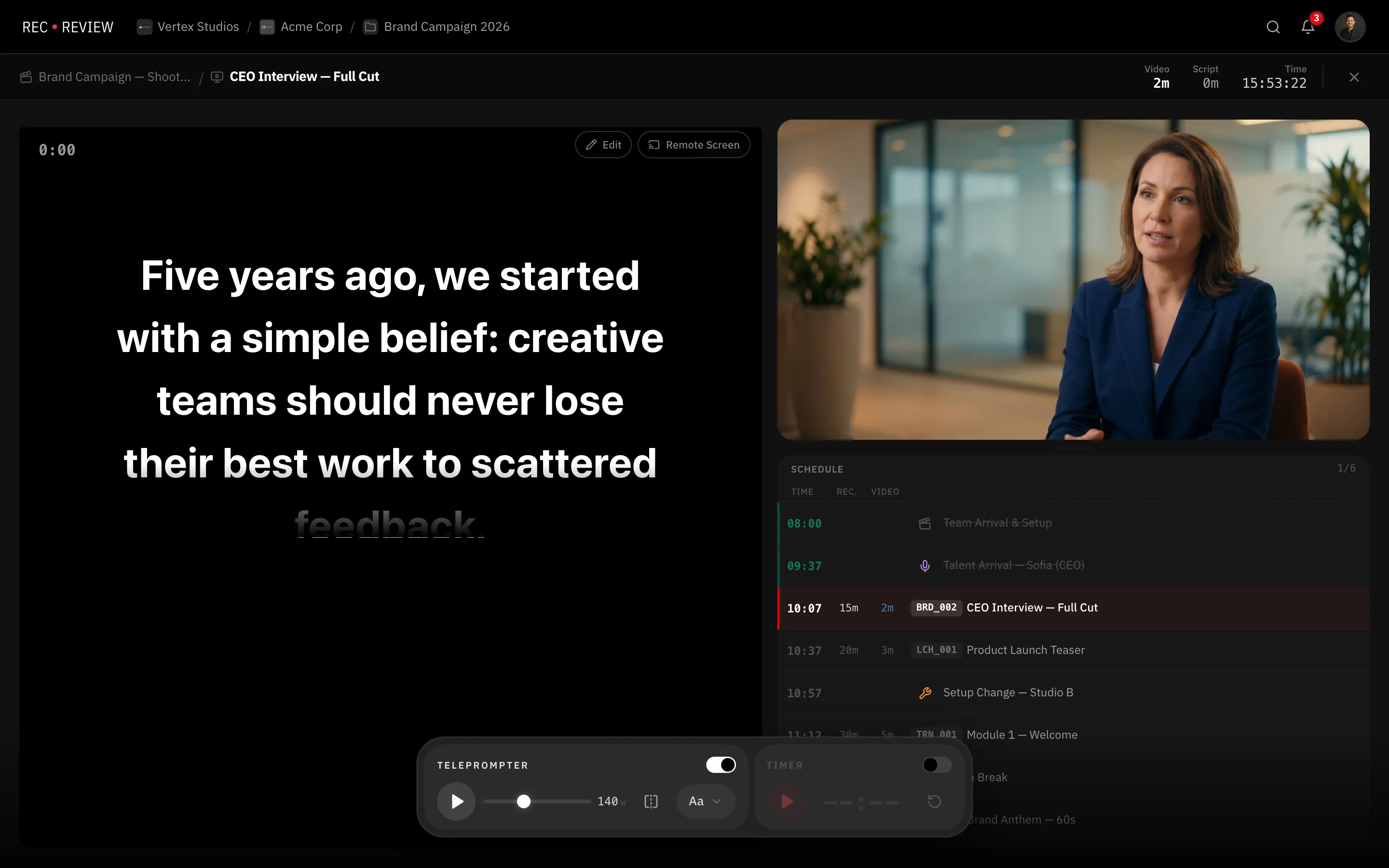
The teleprompter has two halves. The Command Center is what the director drives; the talent display is the screen the presenter reads from. Both run in a browser, so there is nothing to install on the tablet.
Before you begin
You need a production plan with at least one video block, and a script on that block’s video task. Attach it first — see Link scripts to a plan.
Start the session
- Open the plan and click Production Mode. The Command Center opens on the plan’s first block.
- If the block has no script text ready, use Load the script. Extract automatically pulls the text out of the attached file; Type text lets you paste it in by hand.
- Once the text is loaded, it stays loaded for the rest of the session. Reopening the block does not read the file again.
Open the talent display
- In the Command Center, click Remote Screen. The display opens in a second browser window, ready to drag onto the presenter’s monitor.
- To use a tablet instead, copy that window’s address and open it in the tablet’s browser. Any device with a browser works, and no sign-in is required.
- Until you press play, the display shows Waiting for script….
If the tablet says Session not found. Check the code., the address was mistyped or the session has ended. Could not connect. Check your connection. means the device reached the page but lost the live link. It shows reconnecting… and picks up on its own once the network is back.
Tip: Click Remote Screen again at any time to bring the display window to the front, instead of opening a second one.
Leaving and coming back
Closing the Command Center does not end the session. The talent display keeps working, and reopening Production Mode picks up exactly where you left off, including the timer.
If you open the Command Center in another window, the first one shows Production taken over in another window and hands control over.
When the session ends
Sessions close themselves. Shortly after the Command Center and every display are gone, the session ends and its address stops working — a tablet left on set does not stay live.
Opening Production Mode again starts a fresh session with a new address, and ends any other session still open on that plan.
What’s next
Learn the controls in Teleprompter controls.