One AI minute equals one minute of video sent to AI review. A 6-minute cut reviewed once costs 6 minutes of your monthly allowance.
What consumes minutes
- Sending a video to AI review: its full duration, charged when the review completes.
- Generating a transcript by hand on a video that never went through the review: the video’s duration.
What is free
- Watching, commenting and replying.
- Uploading, versioning and sharing.
- Everything your client does in the portal.
- The transcript that comes with an AI review — those minutes were already charged with the review.
What each plan includes, per month
| Plan | AI minutes |
|---|---|
| Creator | 60 |
| Pro | 300 |
| Studio | 1,000 |
The 15-day free trial runs on Studio limits, so 1,000 minutes, with no credit card.
When you run out
RecReview checks the allowance before starting: if the video is longer than what is left, the review does not start and nothing is charged. In the upload panel the AI Analysis switch is disabled with “No AI minutes available. Upgrade your plan.”
Two ways forward:
- Add minutes. Open Workspace Settings → Billing and click + on the +100 min IA card, under Add resources. Add-ons stack — buy it twice for +200 a month.
- Upgrade the plan, which raises the monthly allowance.
Either way, nothing else stops: uploads, reviews, comments and deliveries keep working without AI minutes. Only the AI review waits.
Check what is left
The same Billing screen shows AI minutes used against the total for the period, right under your plan.
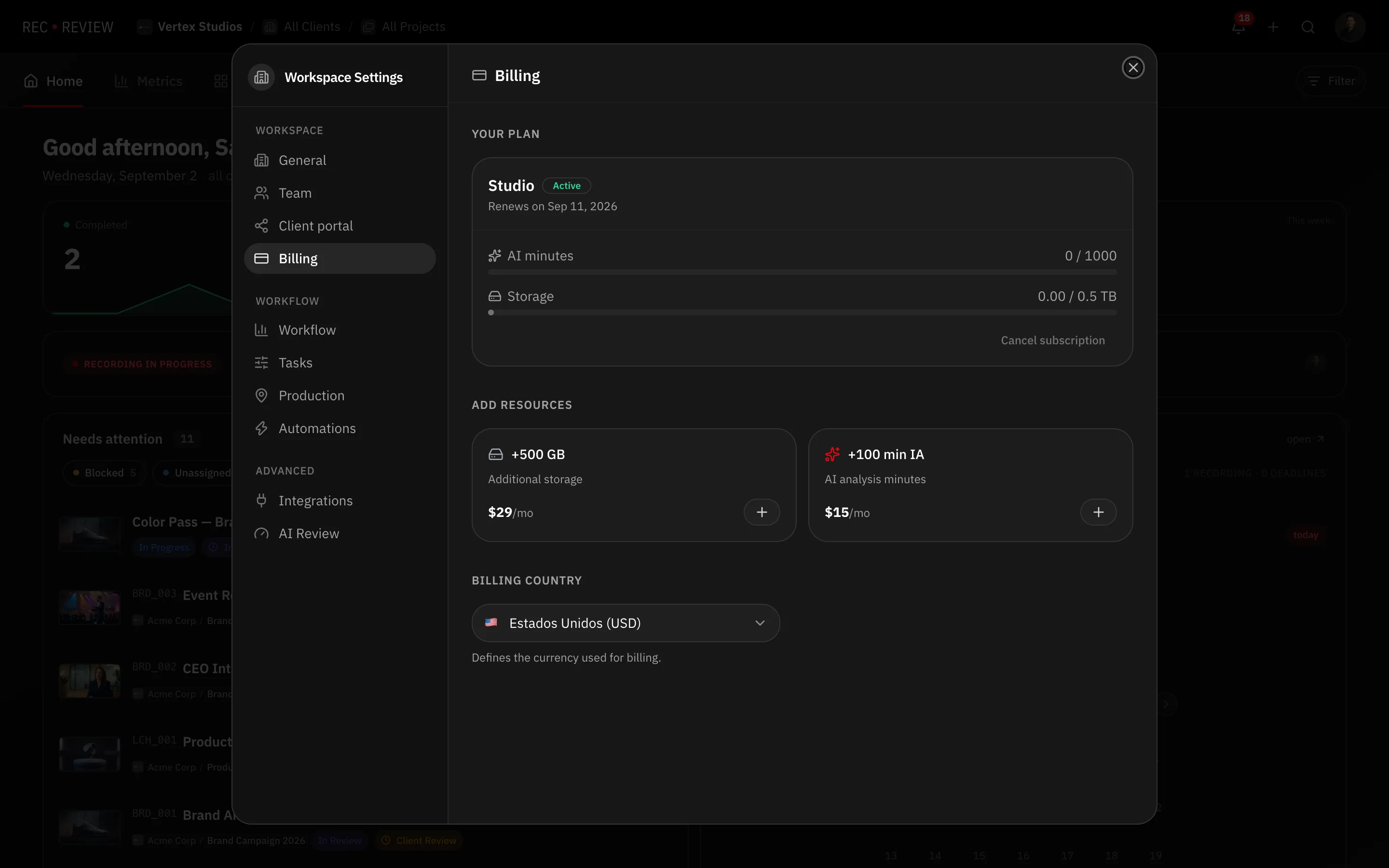
The upload panel shows the same number as “You have n min of AI available” while you decide whether to switch the review on.
Tip: On a plan with a tight allowance, keep Automatic AI review off and turn it on per upload. The cut you send to a client is worth 6 minutes of quota; the twelve intermediate exports are not.
What’s next
Turn the AI review on or off, or compare allowances in Plans and pricing.