AI minutes are your monthly budget for AI review. Creator includes 60, Pro 300 and Studio 1,000. Read this before a heavy month, so the review does not stop mid-delivery.
How minutes are counted
One minute of reviewed video costs one AI minute. A 6-minute cut costs 6 minutes, whether the report finds two problems or twenty. Running the review on a new version costs its duration again.
Uploads with the review turned off cost nothing. In the upload panel, AI Analysis shows how many minutes you have left before you commit. The minutes come off after the upload, when the review actually runs.
Check what is left
- Click your avatar at the top right and choose Workspace Settings.
- Open the Billing tab.
AI minutes shows used / limit. The bar turns amber and then red as you get close.
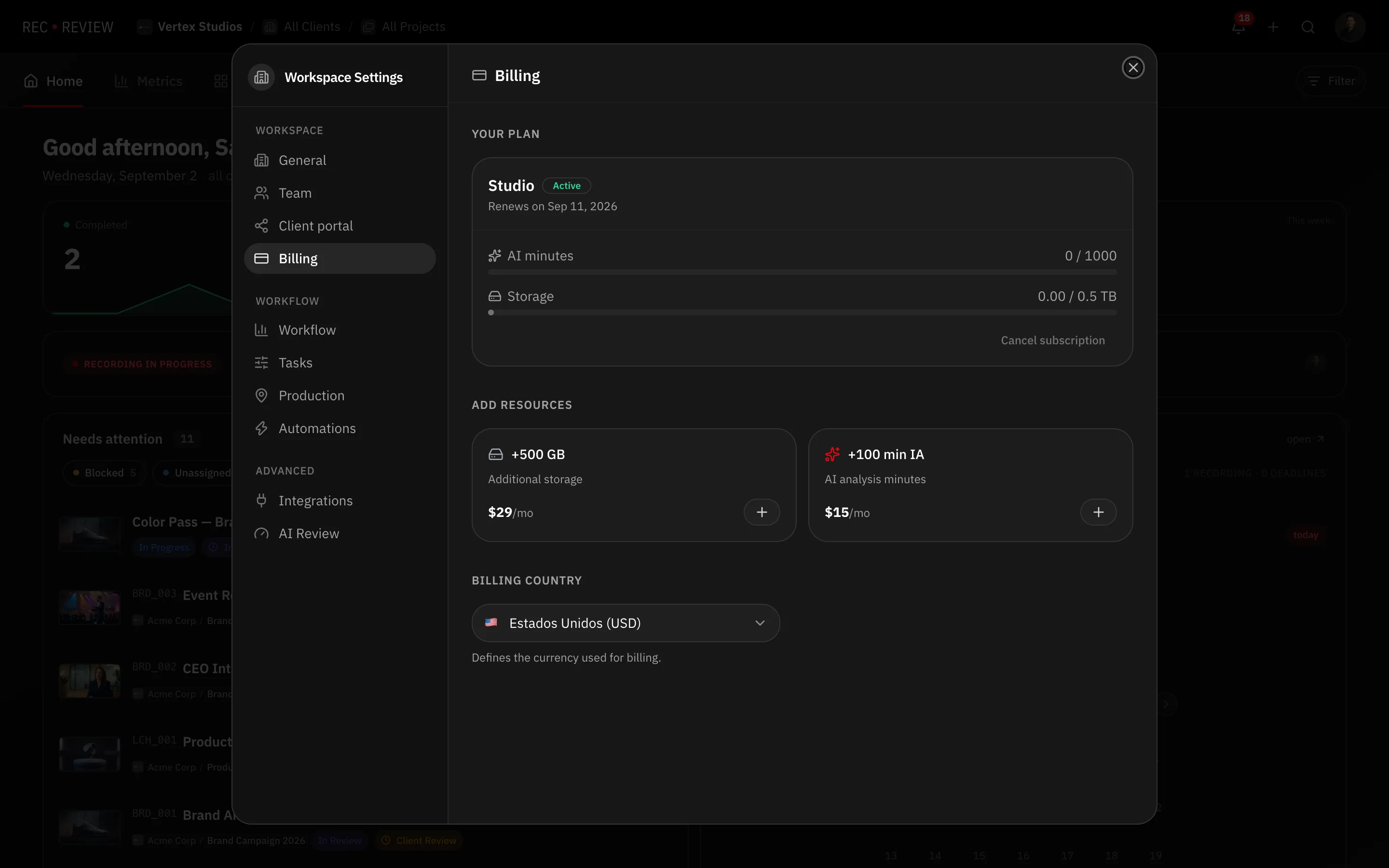
The counter resets to zero at the start of every billing period — monthly, or on the anniversary of an annual subscription. Unused minutes do not carry over.
Buy an add-on
Add-ons extend your capacity without moving up a plan. Both are monthly subscriptions, and you can buy each one more than once.
| Add-on | What it adds | Price |
|---|---|---|
| +500 GB | Additional storage | $29/mo |
| +100 min IA | AI review minutes | $15/mo |
- In the Billing tab, go to Add resources.
- Press + on the add-on you want.
- Finish the payment in the Stripe checkout that opens.
Add-on minutes join your plan’s monthly allowance and reset with it. Customers billed in Brazil pay in reais.
Note: Add-ons need an active paid subscription. They are not available during the trial or after it expires — pick a plan first.
When you run out
The AI review stops being offered and the upload panel says No AI minutes available. Upgrade your plan. Uploading still works; only the review is blocked. Buy the minutes add-on or move to a bigger plan to unblock it.