RecReview is a workspace for video teams: you upload a cut, people comment on it at the exact frame, the work moves through a board, and the client approves it in a portal. Everything below lives in the same workspace, under the same clients and projects.
Review and feedback
Each video opens in a player with a timeline. Comments are attached to a timecode, so “the logo is late” points at the second where the logo is late. You can draw on the frame, reply in a thread, record an audio or video comment, and mark a comment as resolved. New versions stack on the same task, so you can compare cut 2 against cut 3 side by side. See the review player and add a time-coded comment.
AI review
When you upload, you can ask the AI to run a technical pass on the file. It transcribes the audio, reads on-screen text, and flags issues with a timecode and a severity, plus a set of scores. It is a checklist that runs before your client watches, not a replacement for your eyes. See what AI review checks.
Projects and workflow
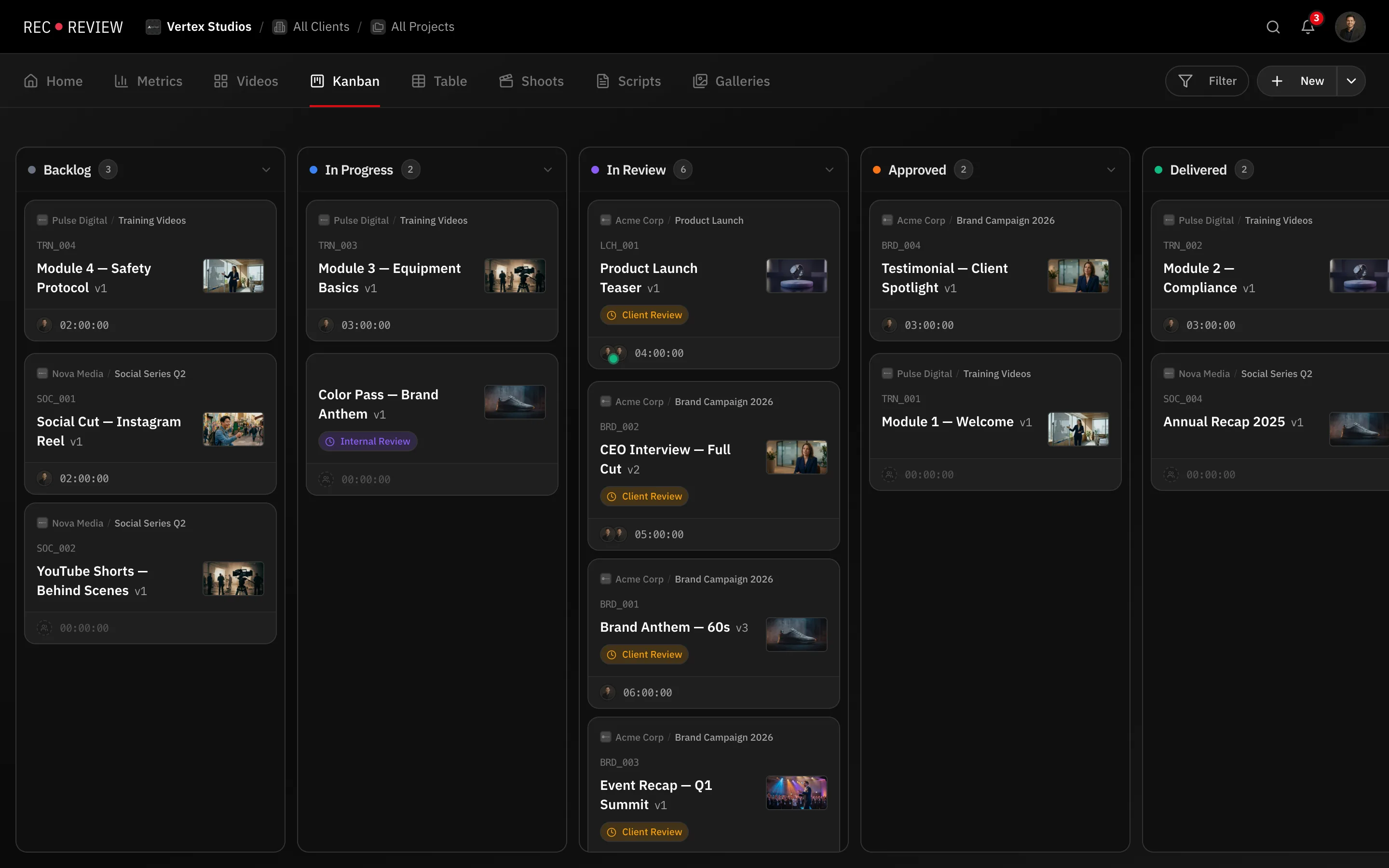
Videos belong to tasks, tasks belong to projects, projects belong to clients. A task moves across kanban columns as the work advances, and can sit blocked waiting on someone. Automations react to events — a timer starts, a status changes, a comment arrives — and do the next step for you. Time tracking runs inside the player. See clients and projects and kanban and statuses.
Client portal
Clients do not need an account. You share a review link, or add them as a portal contact, and they watch, comment and approve from the browser. Links can carry a password and an expiry date. See client portal overview.
Production
Before the edit there is the shoot: production plans hold the schedule, locations and script, and the teleprompter reads that script on set. Photo galleries deliver stills to the same client. See production plans overview.
What’s next
- Create your workspace — name, logo and workflow preset.
- Upload your first video.
- Invite your team.