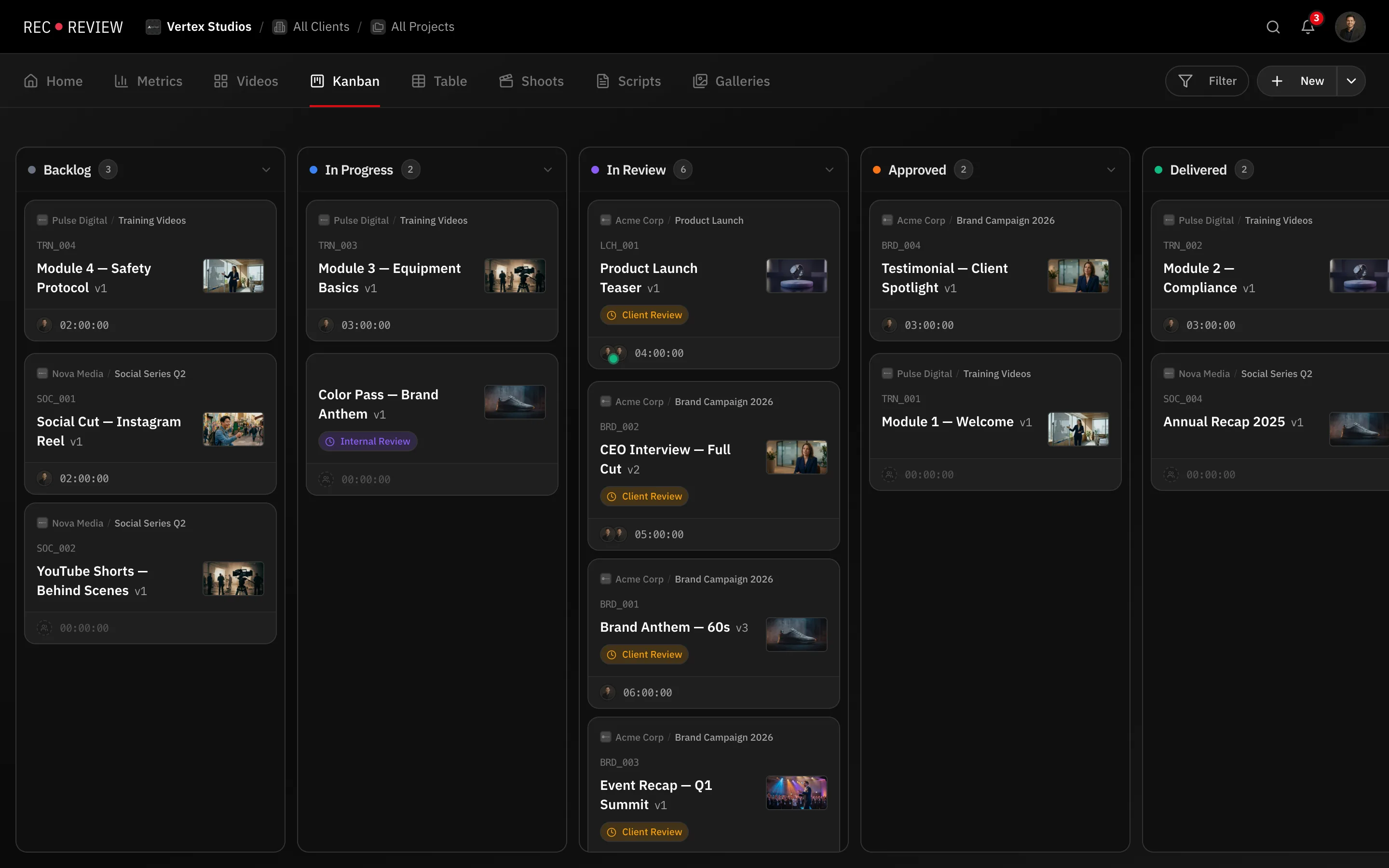
The Kanban view answers one question: what stage is each task in right now? Use it as the team’s daily board. A status is a column, and a new workspace starts with five: To start, In progress, Finishing, In review and Delivered.
Move a task
- Open the Kanban tab.
- Drag a card to another column.
The card updates immediately, and any automation listening for Status changed runs.
Two shortcuts do the same thing without dragging. Right-click a card and use Move to. Or select several cards with Ctrl/Cmd and use Move to in the selection bar.
Each card shows the client and project, the video code, the title, the current version, the blocker chip when someone is waiting, and the time logged so far.
Regroup the columns
The columns don’t have to be statuses.
- Click Filter in the toolbar. The panel opens on the right.
- Under Group → Columns, choose Status, Project Phase or Waiting.
Dragging still works. Grouped by Project Phase, dropping a card changes its phase. Grouped by Waiting, it changes who the task is blocked on.
Under Swimlanes you can split the same board into horizontal lanes by Assignee or Priority.
Add or edit a status
Statuses are per workspace, and only admins and owners can change them.
- Open the avatar menu in the top-right corner and click Workspace Settings.
- Go to Workflow. The Status tab opens first.
- Under Add status, type a Name, pick a Color and click Add. The status appears at the end of the list.
- In Kanban statuses, use the arrows to reorder and click a name to rename it.
- Switch a status from Norm to Final when tasks that reach it are done.
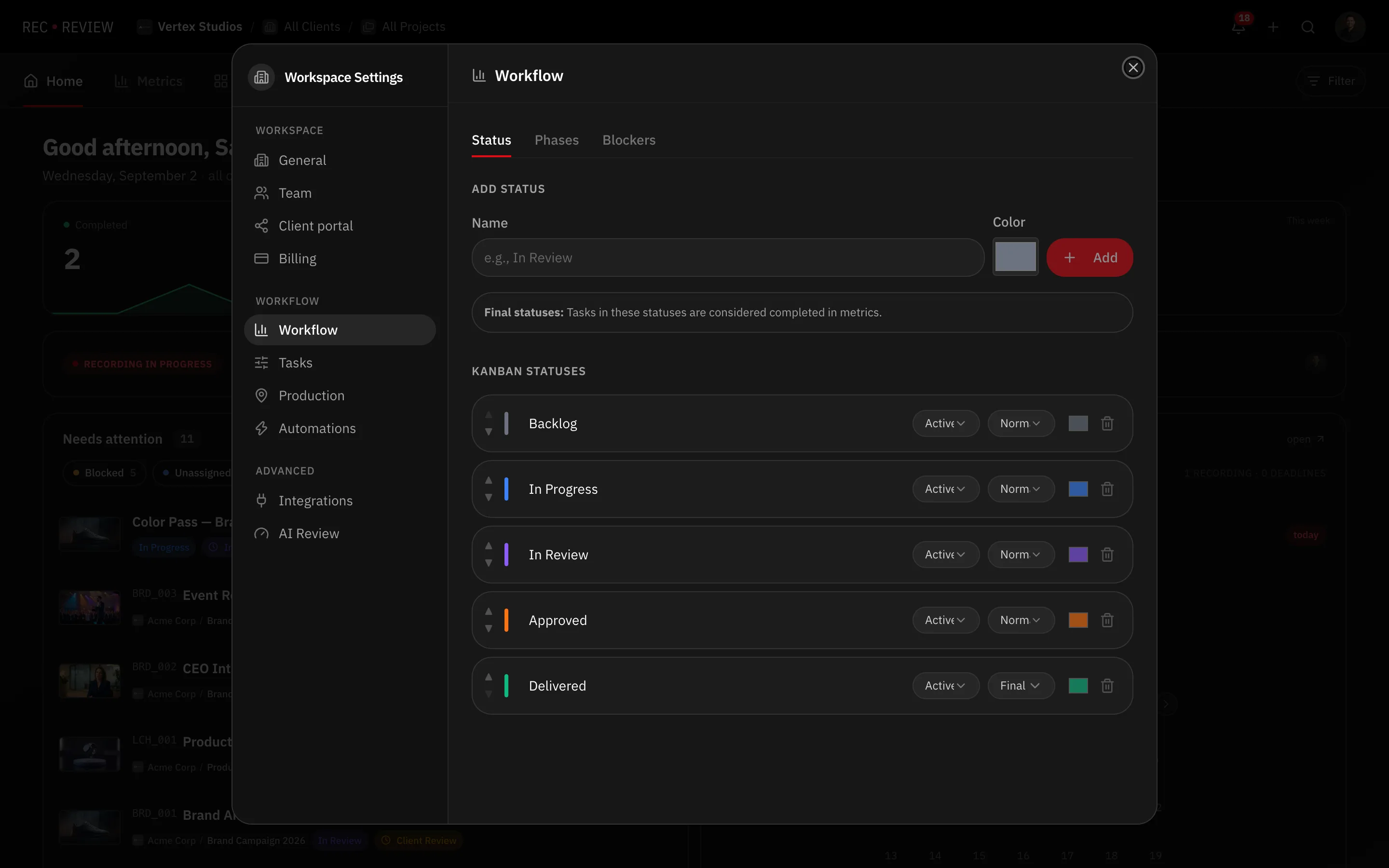
Important: Metrics count only Final statuses as completed work. To take a column off the board without losing its history, set it to Inactive instead of deleting it.
What’s next
Statuses say what stage a task is in. For where it sits in the lifecycle use phases, and for who is holding it up use blockers.