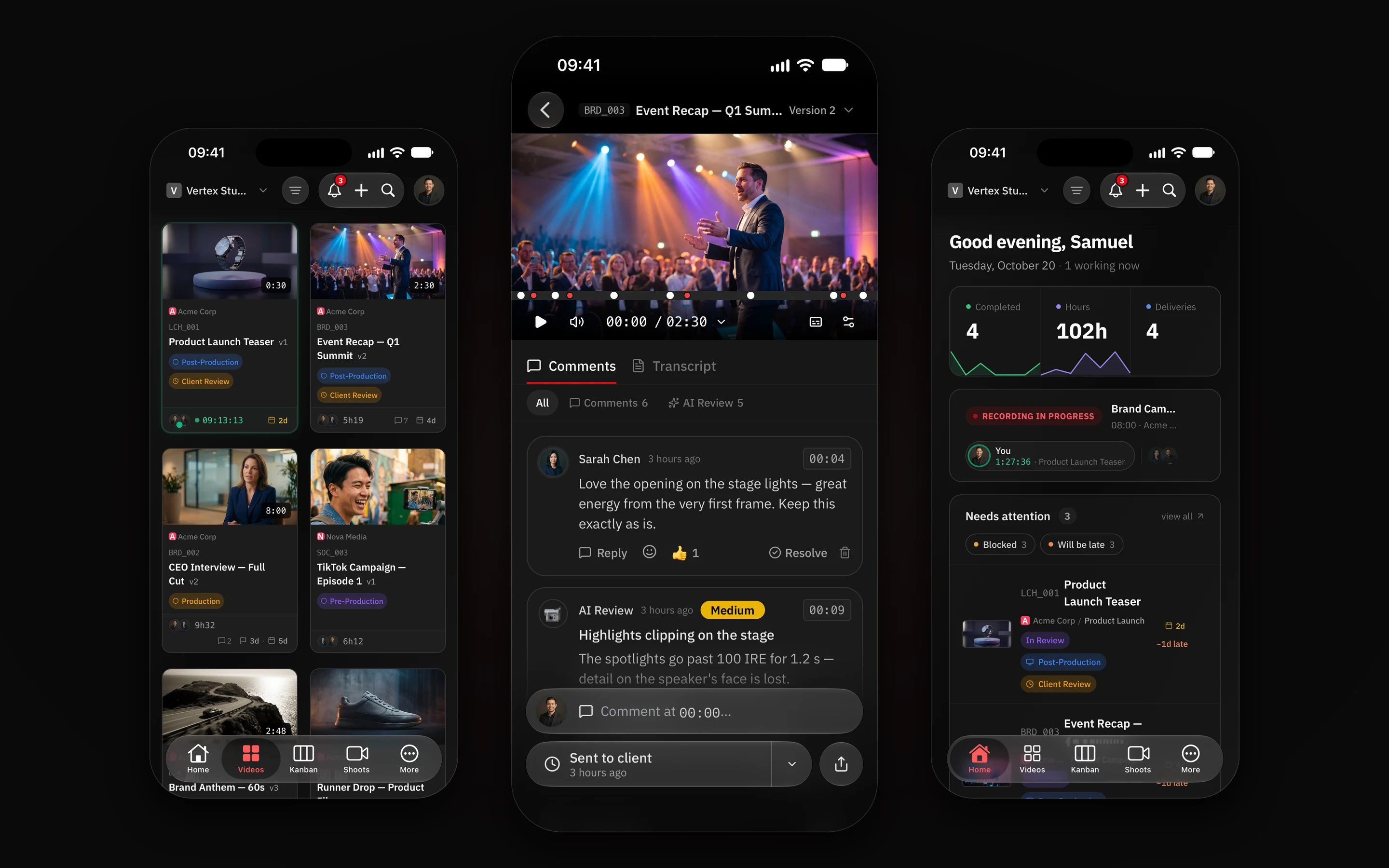
The iPhone app is the same RecReview, built for your phone: reviews, the board, videos and shoots in a tab bar, with notifications that show who commented and on which video. It runs on iPad too.
Download and sign in
- Open RecReview on the App Store on your iPhone or iPad, or search for RecReview in the App Store.
- Tap Get and open the app.
- Sign in with Apple, Google, Microsoft or email and password — the same account you use in the browser.
The app opens in the workspace you already work in. It needs iOS 16 or newer.
Note: the app isn’t on the App Store in European Union countries yet. There, use RecReview in the iPhone or iPad browser.
Notifications
Allow notifications when the app asks. Each one shows the face of the person who acted and a thumbnail of the video. For a comment, a tap opens the review on it, at the moment it was left.
If you are active on the Mac or in the browser, the phone stays quiet: notifications only reach the iPhone when you are not using another device.
Note: said no the first time? Turn them on in Settings › Notifications › RecReview. See also Notifications aren’t showing.
What you can do
- Review: watch the version, scrub the timeline with your finger, reply to the client and record a comment with your voice or camera.
- Approve and send: send the version to the client and follow the approval from the same screen.
- Keep up: Home, Videos, Kanban and Shoots sit in the tab bar.
- Timer: on iPhone, a running timer shows on the Lock Screen (iOS 16.2 or newer), and in the Dynamic Island on models that have it.
Plans and billing stay on the website. The app signs in to the account you already have.